Equations and chemistry
Inserting an equation
| What | Shortcut | Ribbon |
|---|---|---|
| Inline maths (in the sentence) | Ctrl+M | Insert ▸ Equations ▸ Inline math |
| Displayed equation (own line) | Ctrl+Shift+M | Insert ▸ Equations ▸ Math block |
| Equation builder | Ctrl+Shift+E | Insert ▸ Equations ▸ Equation builder… |
| Symbol palette | Ctrl+Shift+G | Insert ▸ Equations ▸ Symbol… |
Each of these opens the Equation editor. Double-click any equation on the page to edit it again.
The equation editor
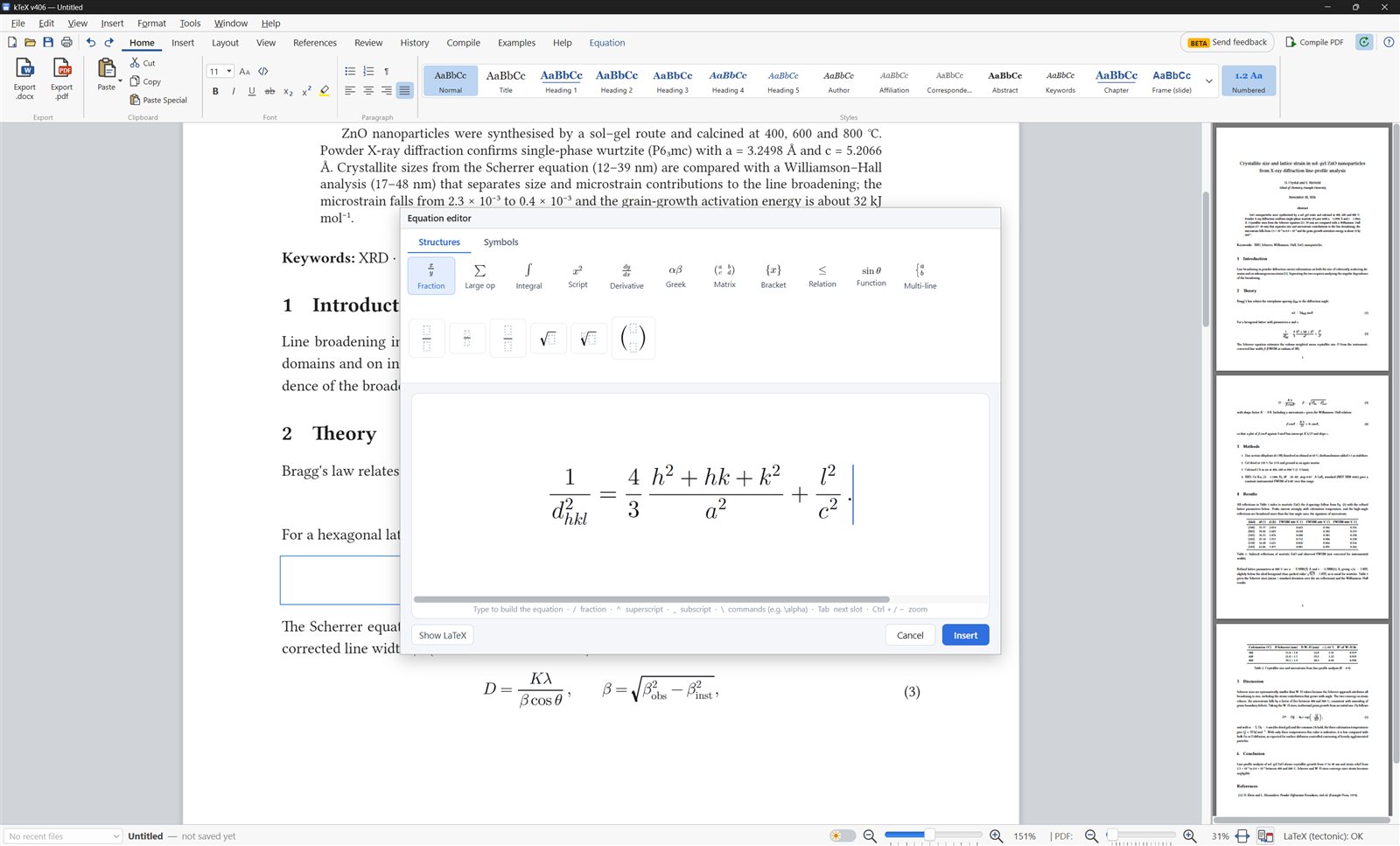
You edit the equation as typeset maths, much like Word's equation editor. Two tabs of buttons insert ready-made pieces with placeholders to fill in.
- Structures: Fraction, Large operator (Σ, Π …), Integral, Script (sub- and superscripts), Derivative, Greek, Matrix, Bracket, Relation, Function, and Multi-line (aligned equations, cases).
- Symbols: Greek, Capitals, Operators, Relations, Arrows, Calculus, Sets & logic, Misc, and Accents.
At the bottom of the editor:
- Show/Hide LaTeX: see and edit the LaTeX directly. If you already know LaTeX, typing
\frac{a}{b}is often fastest. - Display: untick it for inline maths.
- Numbered: gives the equation a number such as (3).
- Label: a name such as
eq:energy, so you can refer to the equation elsewhere (see Citations and cross-references). - Insert / Cancel.
The Symbols palette
Ctrl+Shift+G opens a floating Symbols window that stays open while you type. Click a symbol to insert it at the cursor. Its groups are:
- Greek (lowercase and uppercase)
- Operators, Relations, Arrows, Calculus
- Logic & sets, Misc & punctuation
- Accents (over a letter), and kTeX's own extras
The Equation tab
With the cursor in an equation, the Equation tab offers:
- Edit Equation
- Numbered: switch the number on or off.
- Label…
- Delete Equation
- Symbol and Equation builder
Right-clicking an equation gives the same choices: Open in equation editor…, Numbered equation, Label….
Chemical reactions (mhchem)
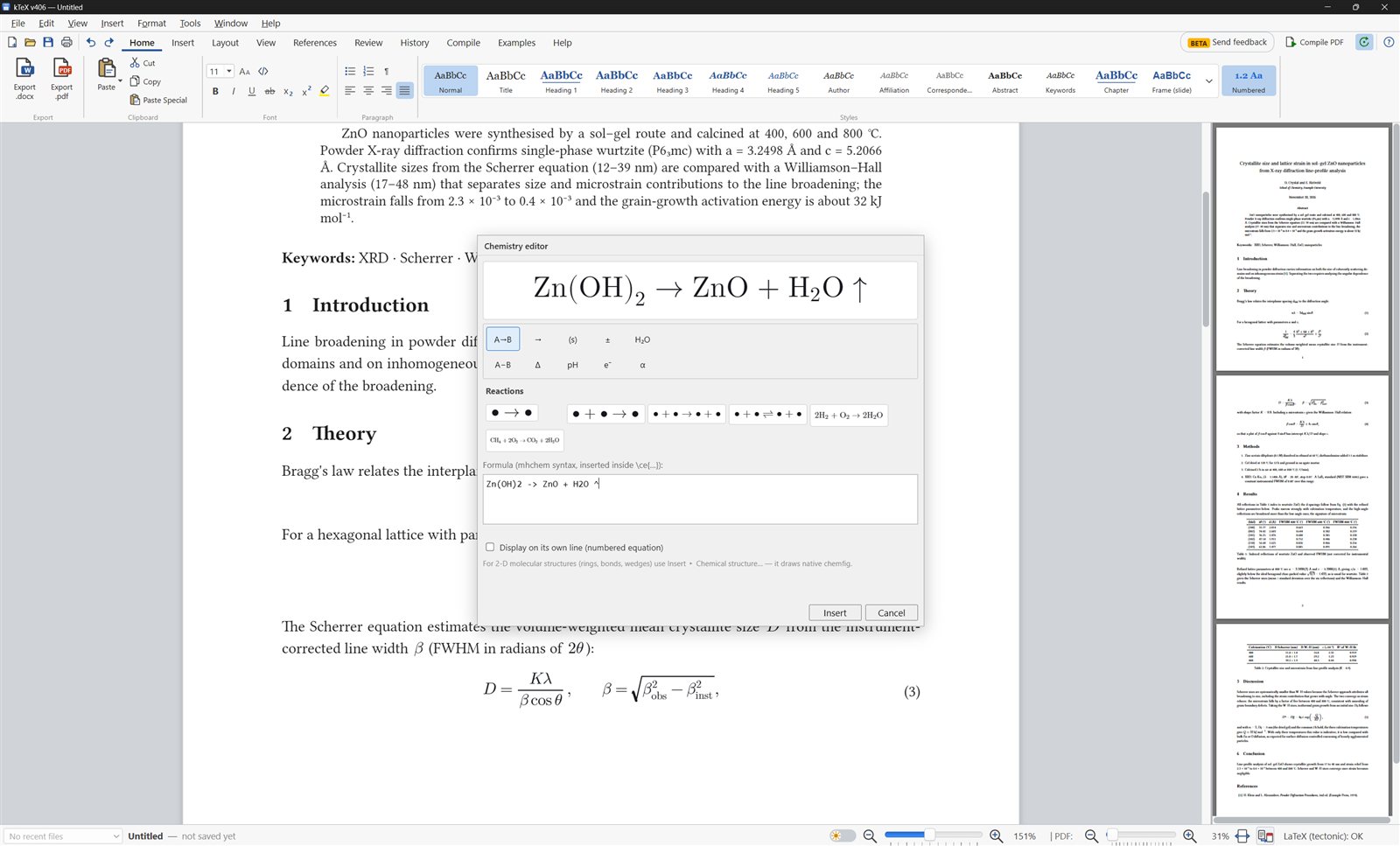
Ctrl+Shift+R (Insert ▸ Chemistry ▸ Chemical reaction…) opens the reaction editor, with a live preview. Type mhchem notation, for example 2H2 + O2 -> 2H2O, or click a template. Tab jumps between placeholders. The template categories are:
- Reactions, Arrows, States, Charges, Species
- Bonds, Conditions, Acids & bases, Redox, Nuclear
Double-click a chemical formula on the page to reopen it in this editor.
Chemical structures (chemfig)
Ctrl+Shift+T (Insert ▸ Chemistry ▸ Chemical structure…) opens the structure editor for drawn formulas. Its template categories are:
- Structures, Molecules, Hydrocarbons, Aromatics, Heterocycles, Rings
- Bonds, Groups, Stereo, Bio, Charges, Scheme, Polymer
For freehand chemistry diagrams (bonds, rings, wedges, labels), use the Drawing canvas instead. See Figures, drawings and tables.