KhervePY
AvailableA lightweight, GitHub-first Python IDE — built for vibe coding.
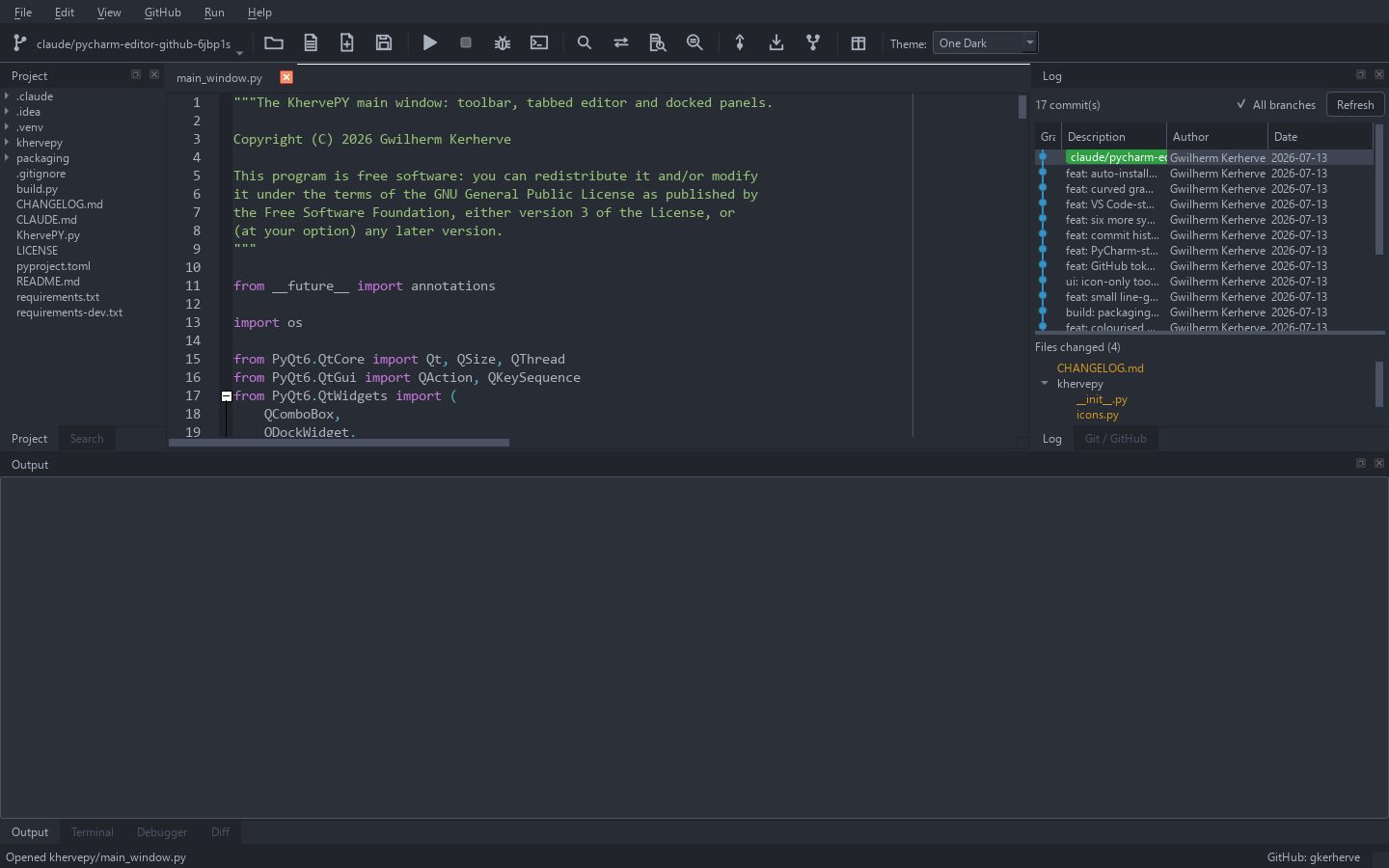
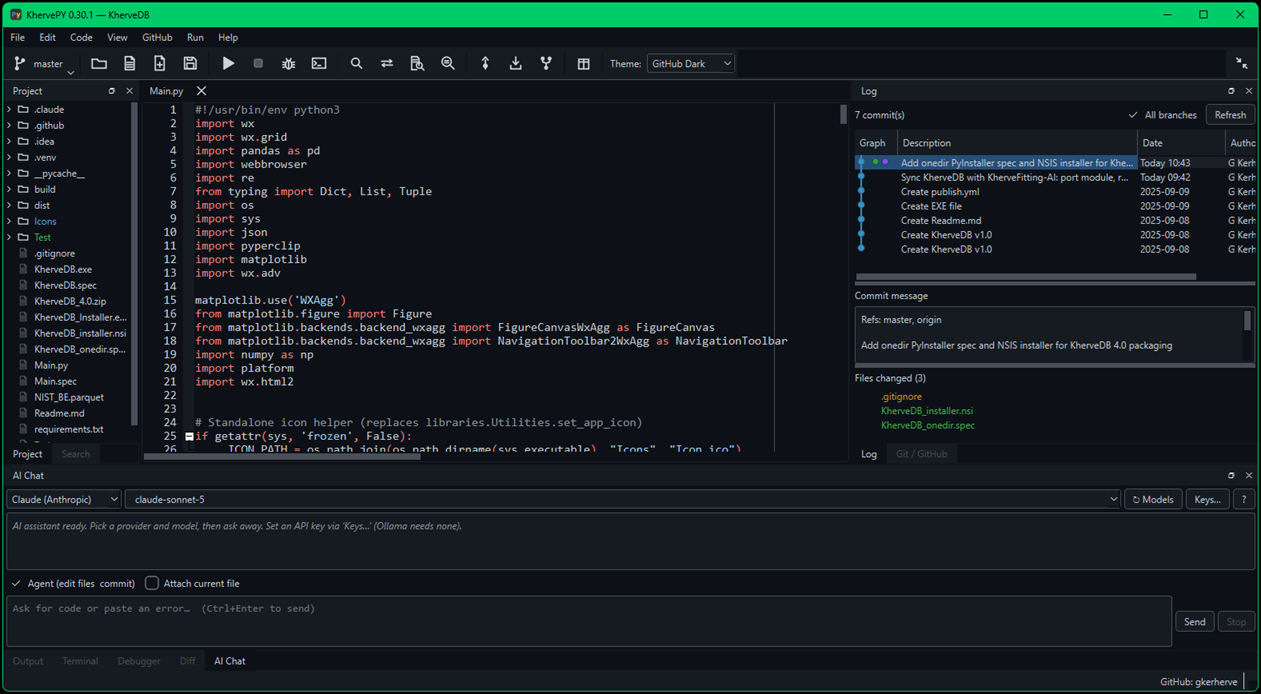
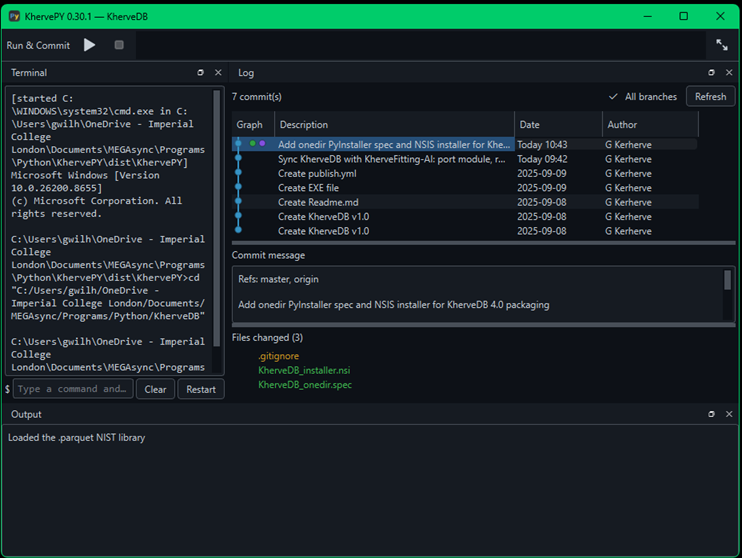
A small, fast desktop editor built with PyQt6 and QScintilla — intentionally lighter than PyCharm or VS Code, focused on reading and editing code with strong highlighting and a first-class Git/GitHub workflow. Stage, commit, push, clone, and fork without leaving the window; manage virtualenvs and pip packages; and run your file with captured output. A second, minimal interface strips away the panels for distraction-free vibe coding with an AI assistant.
Attributes
- Tabbed editor with unsaved-change guards and a project-tree dock
- IDE-grade syntax highlighting — Python, JS/TS, C/C++/C#/Java/Go/Rust, HTML, CSS, JSON, Markdown, Bash, YAML, SQL, XML
- Seven themes — Darcula, One Dark, Monokai, Dracula, Solarized Dark/Light, GitHub Light
- GitHub integration: stage, commit, push, pull, switch/create branches, clone any repo, fork via the GitHub API, one-click Commit + Push
- Environments & packages — create/select virtualenvs and pip-install libraries (or a requirements.txt) from inside the app
- Run the current Python file with captured output
- Built-in Terminal you type straight into — an editable console on the shell's own prompt line, with history recall
- Minimal mode — a second, distraction-free interface for vibe coding with an AI assistant
- Freezes to a standalone app (PyInstaller) with a Windows installer
How to install
KhervePY is free and its source is public, but it is not signed with a paid Microsoft or Apple developer certificate. So the first time you open it, Windows and macOS say they cannot verify it and may even call it possible malware. That is the standard warning for every unsigned app, not a detection of anything. You approve it once, as shown below, and it then opens normally. Only this one app is allowed; nothing else on your computer is changed.
Windows (64-bit)
1If your browser warns about the download, choose “Keep”
Chrome or Edge may say the setup file isn’t commonly downloaded. Open the downloads list, click ⋯ next to the file and choose Keep (in Edge: Keep → Show more → Keep anyway).
2Run the setup file — click “More info”
Double-click the downloaded setup file. Microsoft Defender SmartScreen shows a blue Windows protected your PC window. Click the small More info link.
3Click “Run anyway”, then follow the installer
A Run anyway button appears at the bottom. Click it, answer Yes if Windows asks to allow changes, then click Next through the installer and Finish. KhervePY is in the Start menu and opens normally from then on.
Built with
A modern stack of well-known scientific Python libraries.
Documentation
Getting started
Install the requirements and run python KhervePY.py (or python -m khervepy). You can pass a file or folder to open on startup: python KhervePY.py path/to/project.
GitHub workflow
KhervePY is GitHub-first: stage, commit, push, pull, and manage branches from the toolbar, clone any repository, or fork a project into your account. Add a personal access token (with repo scope) via GitHub → Set Token… to clone private repos and fork — it is stored in your OS settings store, never in the repository.
Environments & running
Create or select a virtualenv and pip-install libraries (or a whole requirements.txt) from inside the app, then run the current file with its output captured in the window.
Philosophy
KhervePY is deliberately smaller than a full IDE — the heavy lifting of writing and refactoring code is left to tools like Claude Code, so KhervePY focuses on fast reading, editing, and Git.
Versions
The mini window gains Open Folder and New Instance, so you can switch project without leaving the cockpit — and opening a folder now opens its entry point (main.py, or a script named after the folder) so Run works straight away. Also fixes Run in the installed build: interpreter discovery skips the Microsoft Store python.exe placeholder and falls back to registered and standard Python install locations, even when Python was never added to PATH.
Errors now show in red in the Output panel, which reads like a real console — the interpreter, script and working directory are echoed before every run, and a failed Run can no longer be silent. Projects never run in KhervePY's own virtualenv. The mini window shrinks to a real cockpit (Output left, Log right), and KhervePY can now check GitHub for updates and install them.
Live program output now streams into the Output panel as it happens (python -u). Adds Check requirements.txt to flag & install missing packages, and runs scripts in the project's own virtualenv.
Type directly in the Terminal — the console is editable in place, like a real shell. New KPy icon, rendered natively at every size.
Fixed a Windows encoding crash in git/pip output, themed folder icons.
Part of the Kherve Tools family
Applications made by a scientist, for scientists.